Projects.
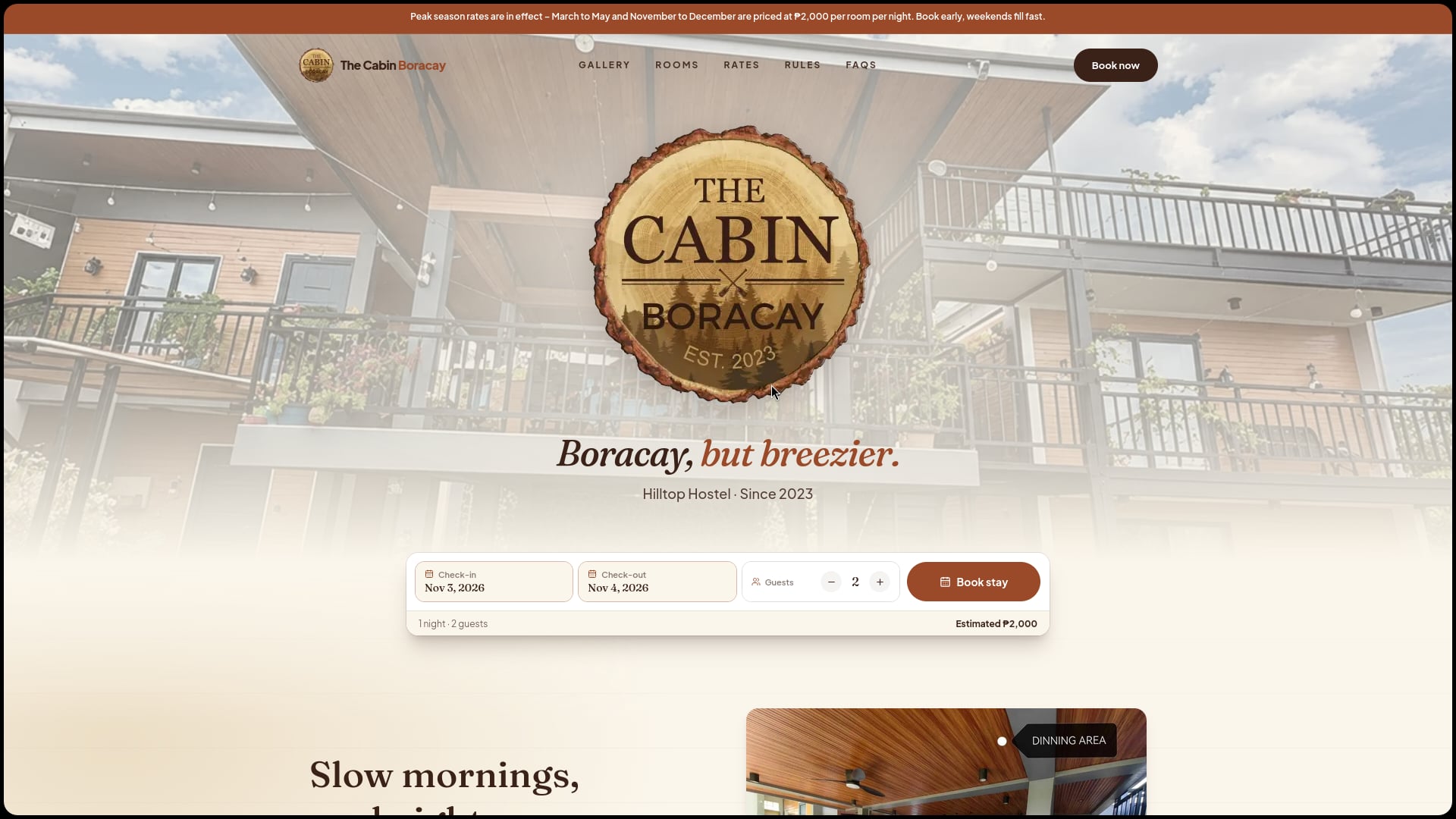
The Cabin Boracay
A booking and management app for a The Cabin Boracay. Guests can easily book a stay, while owners can manage reservations, payments, and rooms from one simple dashboard.
- Role
- Fullstack Developer
Kaikoku
A free anime streaming site I built to watch the latest trending episodes, popular series, and movies in HD with English subs and dubs, without ads or interruptions.
- Role
- Fullstack Developer
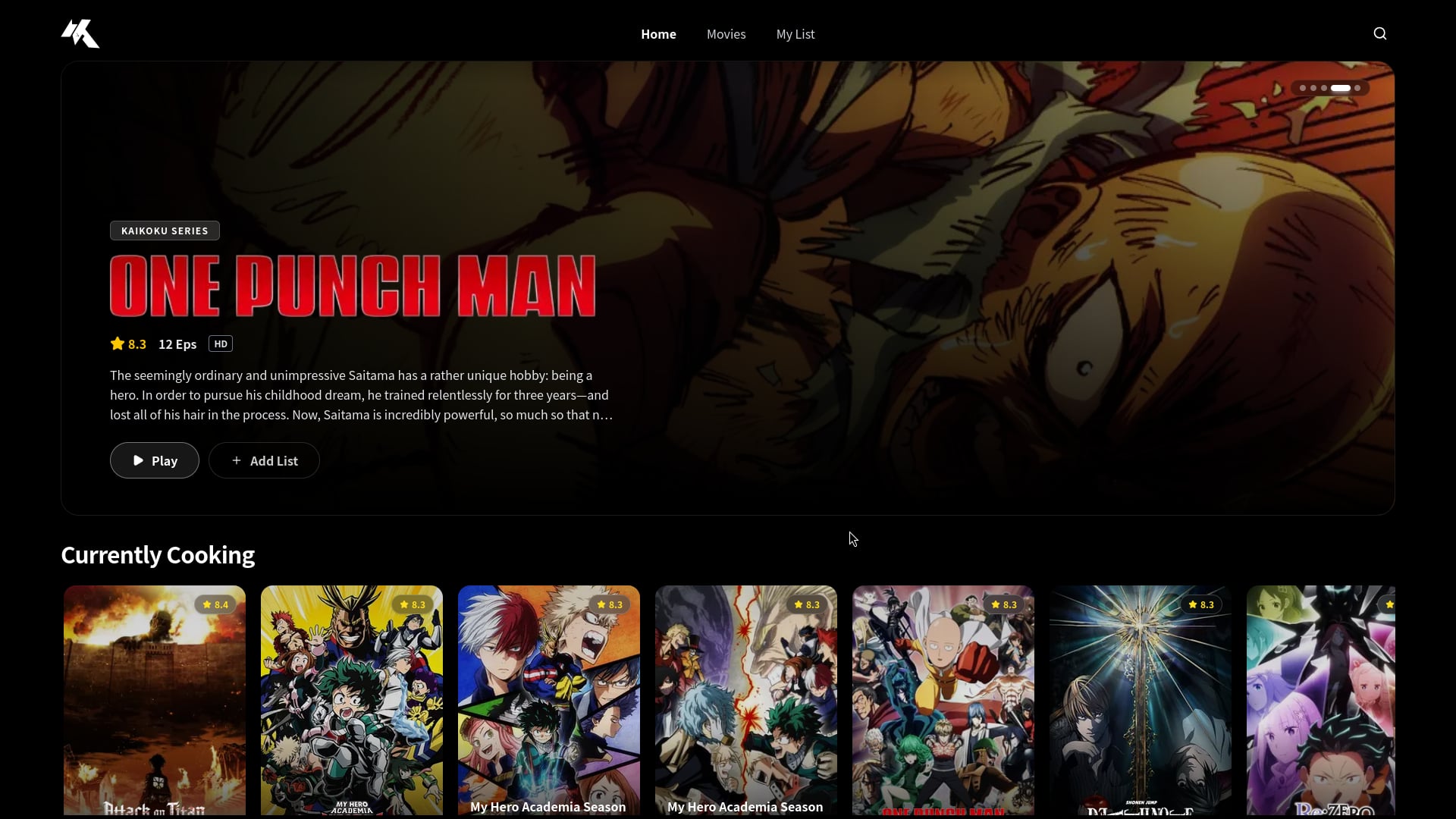
Kaikoku is a personal project — a free anime streaming site I built for myself because I wanted a clean way to watch anime without ads or popups.
It pulls anime info from AniList and TMDB so you can see what is trending and popular, then streams episodes in HD with English subtitles and dubs. Your watch progress is saved, so you can pick up where you left off.
The site has a rotating banner for featured anime, scrollable rows of shows (top airing, most popular, binge-worthy, and recommendations), a continue-watching section, an episode player, a personal watchlist, and search. It uses a dark, mobile-friendly layout.
It is built with Next.js and React. Small server-side routes handle the calls to the streaming APIs so the API URLs and tokens stay hidden from the browser.
- HD streaming: Watch trending anime series and movies in HD with English subs and dubs.
- Featured banner: A slideshow of featured anime with titles, ratings, episode counts, and a play button.
- Browse rows: Scrollable rows for top airing, most popular, binge-worthy, and continue-watching anime.
- Recommendations: A "More like this" row that suggests similar anime.
- Watch progress: Saves where you stopped in each episode so you can resume later.
- My list: Save anime to a personal watchlist.
- Search: Search anime by title.
- Episode player: A watch page with episode selection, subtitles, and full-screen.
- Responsive UI: Dark, mobile-friendly layout with a sticky navbar and footer.
- Secure API routes: Server-side routes talk to the streaming APIs so tokens stay out of the browser.
- User accounts so watch progress and watchlists sync across devices.
- Downloads for offline viewing.
- Ratings, reviews, and community features.
CSITeach
A structured mentoring platform for the Holotech Society that connects mentors and mentees, manages program workflows, and tracks progress throughout the academic year.
- Role
- Fullstack Developer
When student mentoring becomes difficult to organize, mentors and administrators often rely on spreadsheets, messages, and scattered documents. CSITeach fixes that.
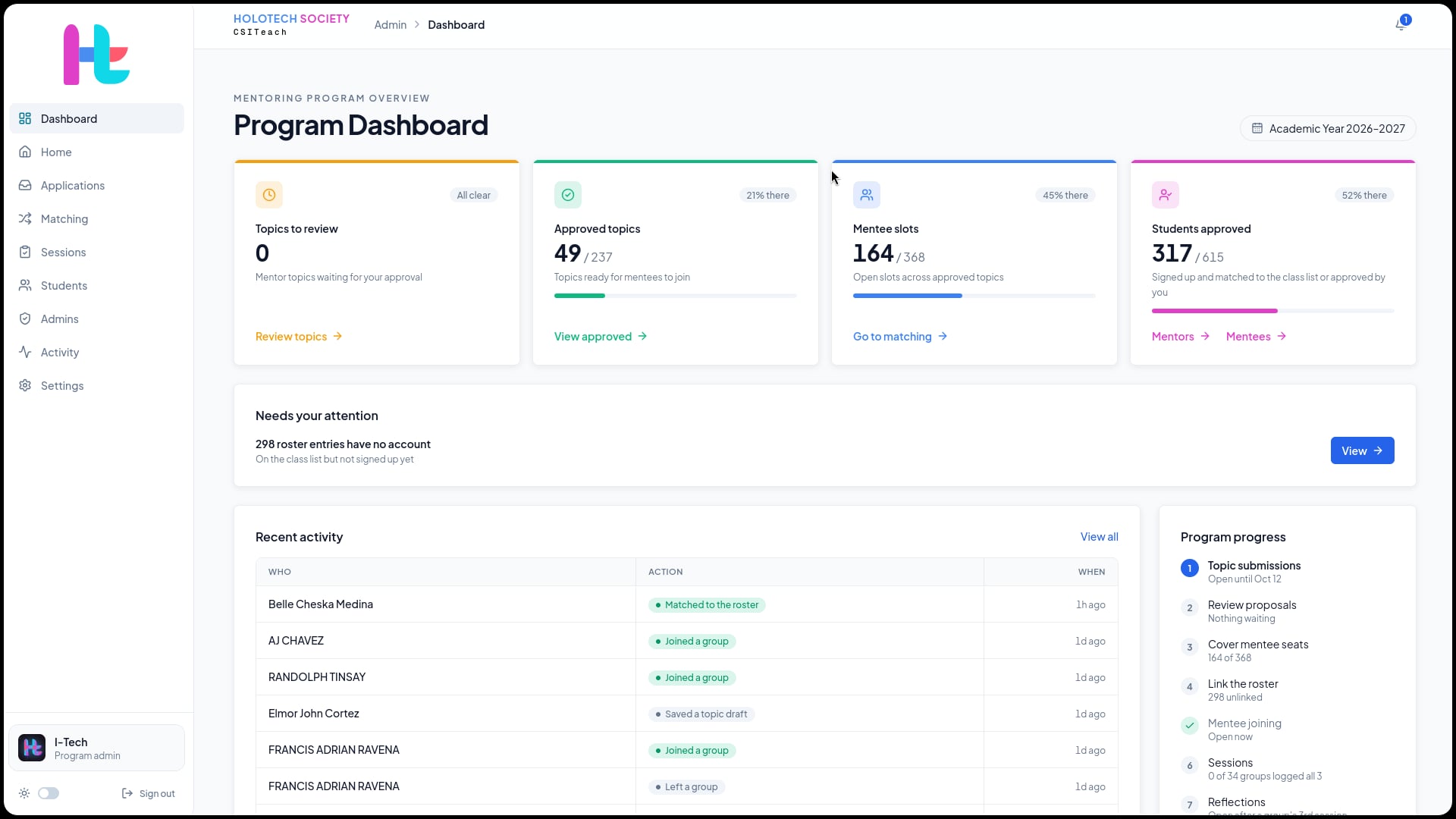
CSITeach is the Holotech Society's student mentoring platform at the University of San Agustin. It brings administrators, mentors, and mentees together to manage the full mentorship lifecycle—from applications and matching to session tracking, progress reviews, and final reports.
Administrators can configure programs, review applications, manage participants, assign mentees to groups, monitor activity, and review submitted work. Mentors can propose mentoring topics, invite co-mentors, schedule sessions, record attendance and observations, track goals, and submit reports for review. Mentees can join programs, view schedules and mentoring history, access resources, reflect on their experience, and follow their progress.
With role-based access, school Google sign-in, Supabase authorization, structured workflows, and PDF and Drive integration, CSITeach makes mentoring more organized, transparent, and easier to manage throughout the academic year.
- Program Management: Create mentorship programs with configurable timelines, requirements, submission periods, deadlines, and contact information.
- Applications and Matching: Review mentor and mentee applications, connect students to accounts, assign participants to groups, manage capacity, and adjust matches when needed.
- Mentor Workspace: Create mentoring topics, define learning outcomes, set schedules, invite co-mentors, and collaborate on shared mentee relationships.
- Structured Mentoring Logs: Record session dates, venues, activities, observations, attendance, reflections, and exactly three photos per session.
- Goals and Progress: Set development goals, track progress, document outcomes, and give mentees a clear view of their mentoring journey.
- Reports and Review: Generate official reports from completed sessions, submit them for administrative review, and revise them based on feedback.
- Mentee Experience: Browse available topics, join groups, view schedules and mentoring history, access resources, and submit reflections.
- Admin Dashboard: Monitor mentors, mentees, applications, groups, sessions, reports, settings, participation, and system activity.
- Secure Access: Uses school Google sign-in, role-based access control, Supabase authorization, database-level permission checks, and audit-friendly activity tracking.
- PDF and Drive Storage: Save session logs and reports as PDFs and connect them to the program's shared Google Drive folders.
- Quality Assurance: Supported by database authorization checks, Playwright browser tests, and GitHub Actions checks.
- Advanced analytics for engagement, completion rates, and program outcomes.
- Calendar and video-conferencing integrations for easier session planning.
- Mobile support for iOS and Android.
- Alumni and lifelong mentorship tracking.
- Customizable workflows for different mentorship programs.
Ragbot - BDPP
A full-stack disaster preparedness platform for barangay officials and residents with AI-powered emergency guidance, real-time alerts, task coordination, and resource management.
- Role
- Team — Frontend Developer
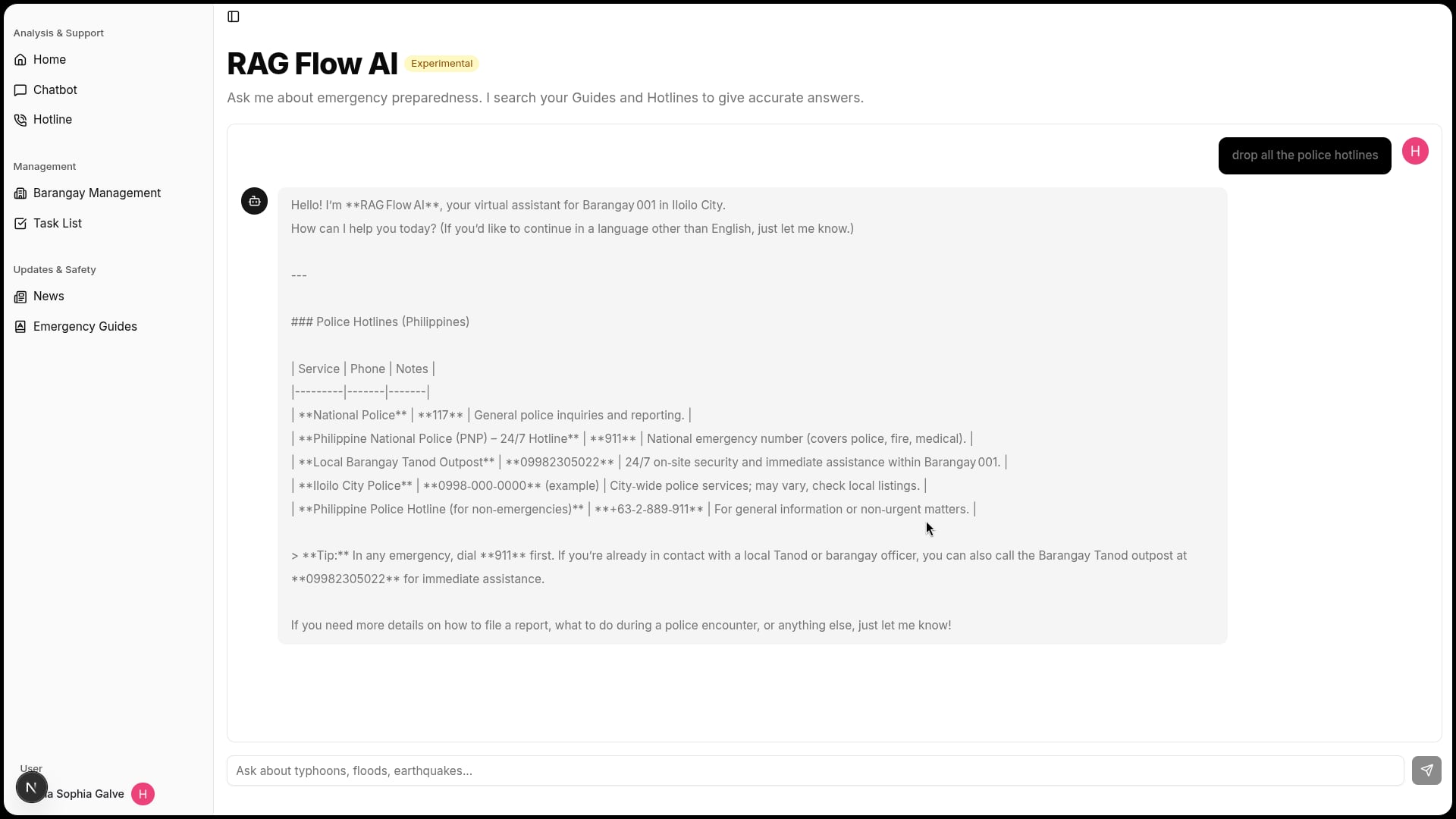
When a typhoon hits, people panic because nobody knows what to do. Ragbot - BDPP fixes that.
This is an app for barangay (neighborhood) leaders and residents to prepare for disasters and handle emergencies better. Instead of calling around or searching the internet during a crisis, everything they need is in one place.
The app has an AI Assistant that answers questions like "What do I do if it floods?" The assistant is smart—it reads through emergency guides, emergency phone numbers, community messages, and task lists to give the right answer in seconds. No wrong information.
Barangay captains can assign preparation tasks to officials, track emergency supplies (water, food, first aid kits), send alerts to everyone, and keep a list of residents. Everyone else can access guides, call emergency numbers directly from the app, read the latest news, and ask the AI assistant anytime.
Built for the DevDash Hackathon at the University of San Agustin. Won recognition for solving a real community problem.
- AI Assistant: Ask it anything about emergencies—"Where's the nearest hospital?", "How do I prepare for an earthquake?"—and it finds answers from guides, phone numbers, and community updates. Works 24/7.
- Emergency Guides: 7 guides covering typhoons, floods, earthquakes, landslides, fires, and disease outbreaks. Each one explains what to do before, during, and after the disaster.
- Emergency Hotlines: 18+ phone numbers for police, fire, hospitals, and barangay offices with addresses. One tap to call.
- Task Management: Leaders assign tasks like "Stock first aid kits" or "Update evacuation maps" with deadlines. Everyone can see what's done and what still needs work.
- Community Alerts: Leaders post urgent updates like "Water service is restored" or "Evacuation centers are open". Everyone gets notified immediately.
- Supply Tracking: See how many water bottles, food packs, blankets, and rescue boats are stored and ready.
- Preparation Score: A simple percentage score showing how ready the neighborhood is. Motivates leaders to finish prep work before storm season.
- Text message alerts for emergencies (in case internet is down).
- Mobile app for phones so it works offline.
- Support for Filipino and local languages.
- Connect multiple barangays so city officials can see overall readiness.
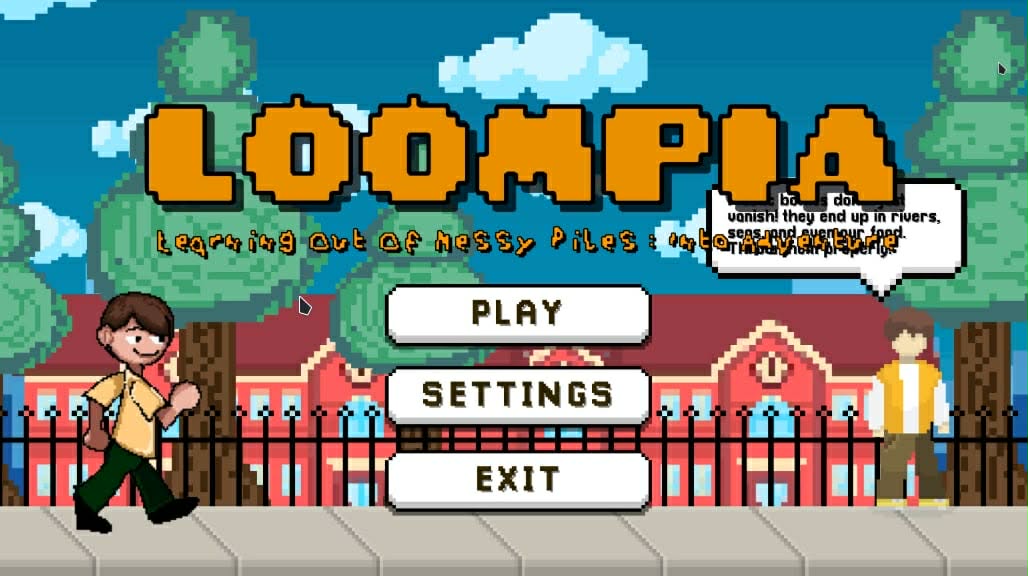
LOOMPIA
Shaping Communities with Educational and Impactful Tech for all ages.
- Role
- Team — Game Developer
ICSLink
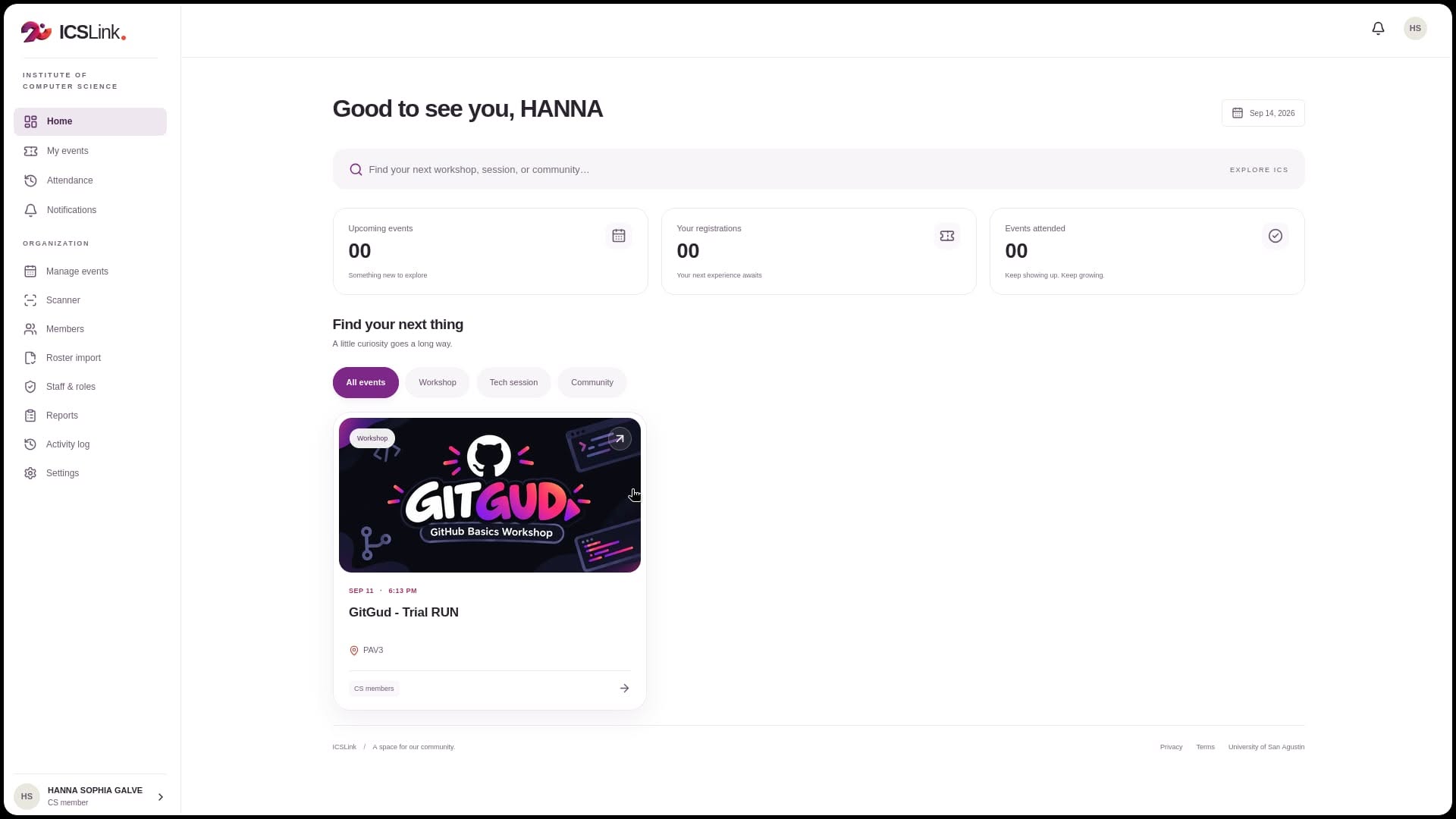
An all-in-one platform for the Institute of Computer Science to manage events, from discovery and registration to QR ticketing, attendance, and reporting.
- Role
- Team — Front-end Developer
Enote
A mobile-first PWA space for people to share photos, and can even make plans, monitor budgets.
- Role
- Fullstack Devel
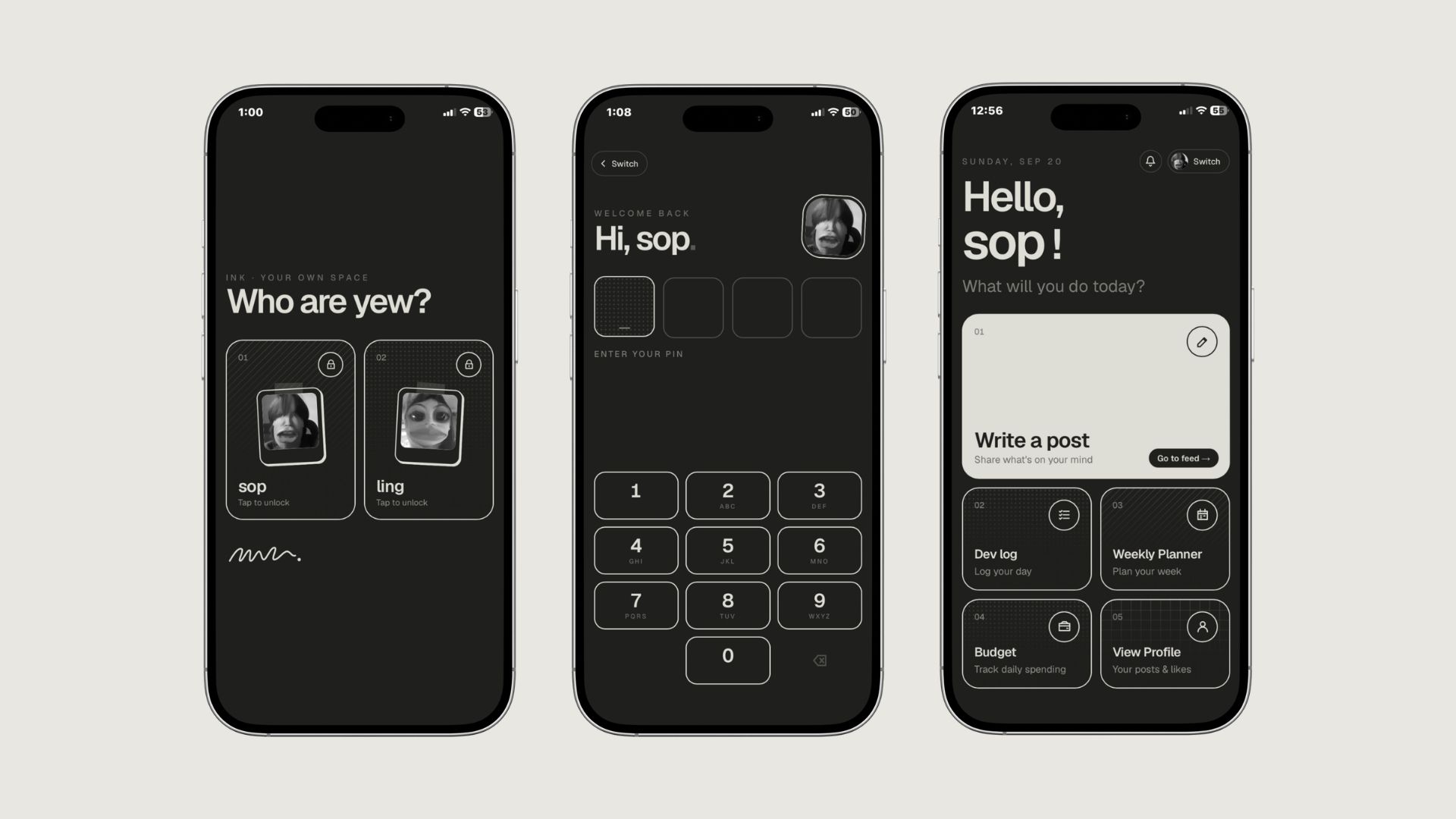
I tried to explore these kind of categories but none of them really worked for me. I wanted a space where I can share my thoughts and photos privately because I hate when people say I brag or LARP. So I built Enote, a private e-ink-styled space for me and my otherhalf to share posts/photos and organize plans for a week/month or even track budgets.
NOTE: Each one of us has a private space, the only thing we can see and shared is the feed posts.
- Add to Home Screen: Enable quick, app-like access straight from the user's home screen.
- 4-Digit PIN Security: Protects user privacy with personal passcode access.
- Rich Content Sharing: Create and publish posts with mixed text and images.
- User Reaction Features: Allow users to like, comment in posts.
- Planning & Budget Tracking: Build weekly or monthly plans, manage expenses, and track progress across tasks and spending habits.
- Categorized Profiles: View and filter all your published posts by category in one place.
- Implementing user accounts: to allow any person to create an account and share posts with their friends.